


Your laptop won’t connect, a switch in the comms room is blinking amber, and nobody seems sure who should fix it. Sound familiar? That confusion usually comes from not knowing how IT support levels work. Here’s the short version.
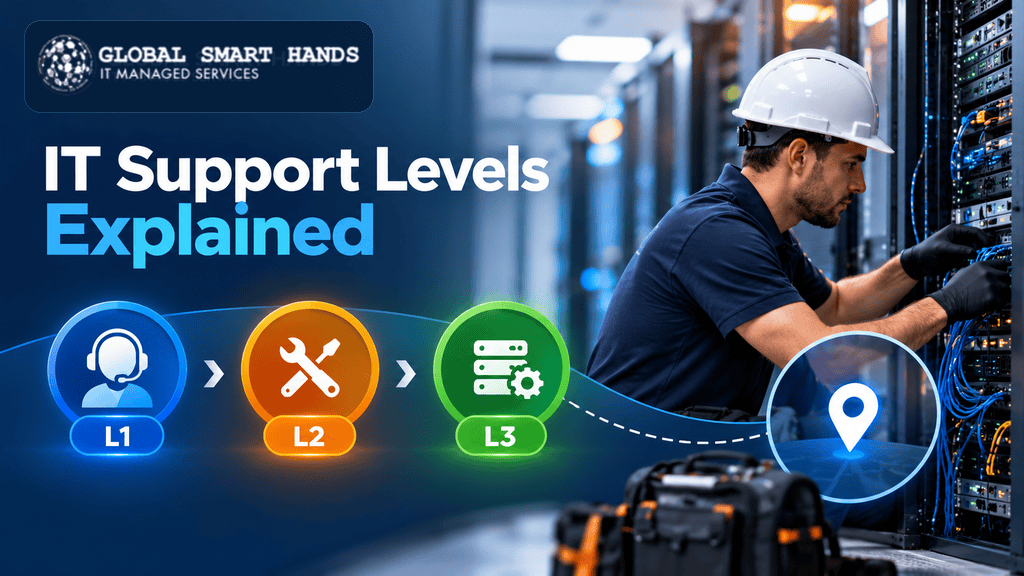
IT support levels split technical help into three main tiers. L1 handles common user issues like passwords, access and basic troubleshooting. L2 digs into deeper technical faults across devices, networks and applications. L3 brings in senior specialists who fix root causes and complex infrastructure problems.
You need an engineer on-site when the fix requires physical hands-on hardware, cabling or equipment that remote tools can’t reach. In this article, we are going to discuss what each tier does, how escalation works, what it costs and how to decide when a site visit makes sense.
What Are IT Support Levels?
IT support levels, often called help desk tiers, sort problems by complexity and match each one to the right skill set. Simple issues stay at the front line. Harder ones move up to people with deeper expertise.
This model, known as tiered IT support, exists for a simple reason: specialists cost more and you have fewer of them. You don’t want your network architect resetting passwords. You also don’t want a first-line agent rebuilding a firewall policy.
Most organisations run three core tiers:
- L1: the first-line help desk
- L2: technical support and deeper troubleshooting
- L3: expert specialists and engineering
You’ll sometimes see L0 and L4 as well (more on those in the FAQs). The three core levels still do most of the heavy lifting.
L1 Support: Your First Line of Help
L1 is the help desk your users call, email or chat with first. These agents log the ticket, gather details and fix issues that follow a known pattern.
Typical L1 tasks include:
- Password resets and account unlocks
- Email, Wi-Fi and VPN connection problems
- Installing approved software
- Printer and peripheral troubleshooting
- Routing tickets to the right team
L1 agents rely on scripts, a knowledge base and remote control tools. Their real skill is triage. A sharp L1 agent captures the right information the first time, which saves everyone else hours later. Strong end-user IT support always starts here.
L2 Support: Deeper Technical Troubleshooting
When L1 can’t fix a problem with standard steps, the ticket moves to L2. These technicians know systems in depth and hold wider admin rights.
L2 teams usually handle:
- Recurring device or operating system faults
- Group policy, permissions and access rights
- Application errors that need log analysis
- Network issues such as DHCP, DNS or VLAN problems
- Hardware diagnosis before a part gets replaced
L2 engineers do most of their work through remote IT support tools. They also decide whether a problem needs someone physically on-site, which makes them the key gatekeeper for field visits.
L3 Support: Specialists and Root-Cause Fixes
L3 is your top internal tier. Think senior system administrators, network architects, cloud engineers, security specialists and developers.
L3 doesn’t just clear the incident in front of them. They work out why it happened and stop it from coming back. That might mean redesigning part of your network and IT infrastructure, patching a server cluster or rewriting a broken integration.
Their fixes then become knowledge base articles, so L1 can handle the same issue next time. That feedback loop keeps a support desk healthy and stops your senior people drowning in repeat tickets.
L1 vs L2 vs L3 Support at a Glance
Here’s a quick side-by-side of L1 vs L2 vs L3 support so you can see where each tier fits.
| Factor | L1 | L2 | L3 |
|---|---|---|---|
| Who | Help desk agents | Technicians and support engineers | Senior engineers and specialists |
| Typical issues | Passwords, access, how-to questions | Device, OS, app and network faults | Infrastructure, architecture, root causes |
| Main tools | Scripts, knowledge base, remote control | Admin consoles, logs, diagnostics | Full system access, vendor channels, code |
| Main goal | Fast fix on first contact | Resolve or confirm the fault | Permanent fix and prevention |
| Ticket volume | Highest | Moderate | Lowest |
| On-site role | Rarely involved | Decides when to dispatch | Directs complex on-site work |
How the IT Escalation Process Works
A solid IT escalation process moves a ticket up the chain without losing time or context. Here’s how it usually flows:
- The user raises a ticket through a portal, phone, email or chat.
- L1 logs it, sets the priority and tries known fixes.
- If the fix fails or falls outside scope, L1 escalates to L2 with full notes.
- L2 investigates, then resolves the issue or escalates to L3.
- L3 fixes the root cause or brings in the hardware or software vendor.
- The tier that closes the ticket confirms with the user and updates the knowledge base.
The weak spot is almost always the hand-off. Every escalation should carry the error messages, steps already tried, affected users and business impact. Without that, the next tier starts from scratch while your SLA clock keeps ticking.
Why Every Escalation Costs More
Each step up the ladder adds time and money. MetricNet benchmarks, summarised by EasyVista, put the average cost per ticket at roughly:
- $2 for self-service
- $22 at the L1 service desk
- $70 for L2 desktop support
- $100 for L3 IT specialists
- $220 for a field support visit
- Up to $600 when a vendor gets involved
These are North American averages, so your local figures will differ. The ratio matters more than the dollar amount. A ticket closed at L1 costs a fraction of one that ends in a site visit. For a regional view, see our guide to on-site IT support costs across Europe.
That cost gap explains why teams push work “left” towards lower tiers and automation. Gartner predicts that agentic AI will autonomously resolve 80% of common customer service issues by 2029. Routine L1 work keeps shrinking, but AI still can’t swap a failed power supply.
When Do You Need an Engineer On-Site?
Remote tools fix most issues today. Still, some problems need skilled hands in the room, and delays get expensive fast. ITIC’s 2024 Hourly Cost of Downtime survey found that a single hour of downtime costs over 90% of mid-size and large enterprises more than $300,000.
Here are the clearest signs you need an on-site engineer.
The Hardware Has Failed
A dead drive, faulty power supply, cracked screen or failed motherboard needs a physical swap. Your remote team can diagnose it, but someone still has to fit the part. Good onsite support for hardware, network and end-user issues closes that gap quickly.
The Fault Sits at the Physical Layer
Loose patch leads, damaged cabling, failed switch ports and dead access points all sit beyond the reach of a remote session. A local engineer can trace, test and re-terminate cables on the spot.
You’re Installing, Moving or Changing Kit
Office fit-outs, desk moves, IMAC projects and rack and stack work all need hands-on time. Nobody can rack a server over a video call.
Remote Access Has Dropped
If a device sits offline, loops on boot or hides behind a failed VPN, remote tools have nothing to connect to. A local engineer can plug into the console and restore access.
Security or Compliance Demands It
Secure drive destruction, regulated site audits and sensitive equipment handling often need a vetted person on-site who follows strict procedures and keeps a clear chain of custody.
The Business Impact Is High
When a till goes down in a busy store or a branch loses connectivity, waiting for a courier swap can cost more than a dispatch. Tight 4-hour SLA standards exist for exactly these moments.
On-Site Support Isn’t a Fourth Level
Here’s the point most guides miss. On-site support isn’t a tier above L3. It’s a delivery channel that can sit at any level.
A field engineer might do L1 work, like swapping a keyboard, or L2 work, like diagnosing a faulty switch. For complex jobs, the most effective model pairs local hands with a remote L3 brain. Your L3 expert stays on a call while the on-site engineer follows their direction step by step.
That’s the thinking behind smart hands services. You don’t need to fly your senior network architect to Singapore to replace a line card. You need a skilled local engineer who follows a clear method of procedure and reports back accurately.
This matters more than it sounds. The Uptime Institute’s 2026 outage analysis found that 57% of respondents said their latest major outage cost over $100,000. It also named failure to follow established procedures as the leading driver of human error.
How to Make Every On-Site Visit Count
The real cost of on-site IT support rarely comes from the engineer’s time. It comes from the wasted visit. Before you dispatch anyone, check that:
- The correct replacement part sits on-site or travels with the engineer
- Site access, badges and local contacts are confirmed
- A remote L2 or L3 engineer can join the call if needed
- The engineer has a clear scope and method of procedure
- Someone will sign off the work and update the ticket
Get these right and you’ll fix more issues on the first visit while cutting repeat call-outs.
How Global Smart Hands Supports Every Level of Your IT Team
Global Smart Hands gives MSPs, IT outsourcers and enterprise IT teams the on-site reach their L1, L2 and L3 teams can’t provide remotely. Your tiers keep ownership of the ticket. We supply skilled hands wherever your sites are.
Field Engineers in 150+ Countries
- A network of 5,000+ IT engineers across more than 150 countries on five continents
- 24/7 international IT support, 365 days a year
- Engineer response of up to 4 hours in major cities
Hands-On Work That Backs Up Your Tiers
- Hardware break-fix support and parts replacement
- EPOS and retail support for stores and branch networks
- Desktop support deployments and device rollouts
- Pre- and post-deployment site surveys
- Data centre smart hands working under your remote L3 team’s direction
Flexible Ways to Work With Us
- Resource on SLA for on-demand dispatch against agreed response times
- A full-time IT resource for sites that need a dedicated engineer
- White-label smart hands so MSPs can deliver under their own brand
Match Every Ticket to the Right Level
Understanding IT support levels takes the guesswork out of every ticket. L1 clears high-volume, everyday issues fast. L2 digs into technical faults and decides when a site visit makes sense. L3 fixes root causes and keeps your whole support operation improving.
On-site support isn’t a separate tier. It’s the physical reach your tiers need when hardware fails, cables break, remote access drops or a project needs hands in the room. Pair it with clean escalation notes, the right parts and a remote expert on standby, and you’ll fix more problems on the first visit.
Need skilled engineers on the ground, wherever your sites are? Talk to Global Smart Hands today and build a support model that keeps every tier moving.
Frequently Asked Questions
What is L0 support?
L0 is self-service support. Users fix problems themselves through knowledge base articles, portals, chatbots and automated tools like password reset, without contacting an agent. It’s the cheapest tier to run.
What is L4 support?
L4 means external support from hardware manufacturers, software vendors or third-party maintenance providers. Your team escalates to L4 when a fault involves proprietary code, firmware bugs or warranty-covered hardware.
What skills does an L1 support engineer need?
L1 engineers need clear communication, patience and solid troubleshooting habits, plus working knowledge of Windows, macOS, Microsoft 365 and networking basics. Accurate ticket notes matter as much as technical skill.
How do you move from L1 to L2 support?
Build depth in one area, such as networking or Microsoft environments. Take on tougher tickets, document your fixes and earn certifications like CompTIA Network+ or a Microsoft endpoint administrator credential.
What is swarming in IT support?
Swarming replaces strict tier-to-tier escalation with collaboration. The first agent who can’t fix an issue pulls in the right experts straight away, so tickets don’t bounce between queues.