
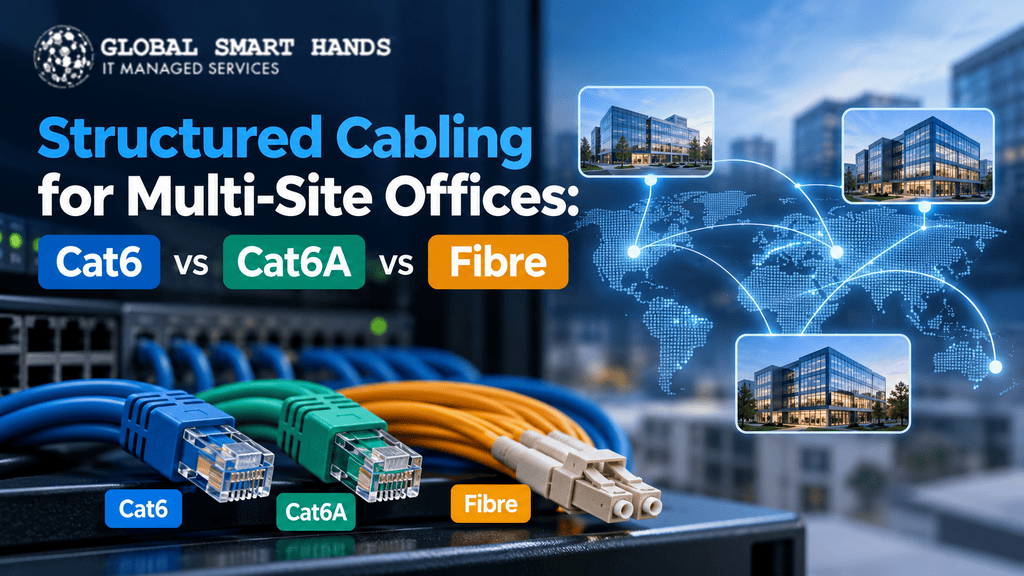




Running offices in several cities is hard enough. Then someone asks which cable to pull through the new floor, and suddenly you’re comparing data sheets late at night. Take a breath. The choice gets much simpler once you know what each cable does best.
For most organisations, the best approach to structured cabling for multi-site offices blends all three. Run Cat6A cabling to desks, Wi-Fi access points and PoE devices, because it carries 10 Gbps over the full 100 metres. Use a fibre optic backbone between comms rooms, floors and buildings. Keep Cat6 for low-demand drops and existing runs you don’t need to replace yet.
In this blog, we are going to compare Cat6 vs Cat6A vs fibre in plain English, show where each fits and explain how to standardise across every site.
What Structured Cabling Means for a Multi-Site Business
Structured cabling is an organised, standards-based system of cables, patch panels, pathways and labels that links every device back to your comms rooms. Each run follows the same design rules, passes a test and lands on a documented port.
For multi-site network cabling, consistency matters as much as speed. When your London, Dubai and Singapore offices share one layout, any engineer can walk into any comms room and understand it within minutes. A single standard gives you:
- Faster fault finding, because labels and port maps match everywhere
- Predictable upgrades when you refresh switches or Wi-Fi
- Simpler buying with one bill of materials
- Easier IT support across branch networks and partner handovers
The stakes keep rising. ITIC’s 2024 downtime survey found that over 90% of mid-size and large enterprises lose more than $300,000 per hour of downtime.
Investment is following, too. Global Market Insights expects the structured cabling market to grow from USD 20 billion in 2025 to USD 44.5 billion by 2035.
Cat6 vs Cat6A vs Fibre at a Glance
Here’s the side-by-side view most buyers want first. Copper figures assume the standard 100-metre channel: 90 metres of fixed cable plus 10 metres of patch cords.
| Feature | Cat6 | Cat6A | Fibre (OM4 / OS2) |
|---|---|---|---|
| Bandwidth | 250 MHz | 500 MHz | Far higher (light-based) |
| Speed at 100 m | 1 Gbps (2.5 or 5 Gbps with NBASE-T) | 10 Gbps | 10 Gbps to 100 Gbps and beyond |
| 10 Gbps reach | 37 to 55 m, if tests pass | Full 100 m | 400 m (OM4) or 10 km (OS2) |
| PoE support | Yes, runs warmer in big bundles | Yes, the strongest copper choice | No, needs local power |
| Noise resistance | Good | Better | Immune |
| Best fit | Light-use desks, phones, printers | Wi-Fi APs, cameras, AV, busy desks | Risers, comms room links, campus runs |
No single cable wins every row, which is why smart office network cabling designs mix all three.
Cat6: Where It Still Earns Its Place
Cat6 runs at 250 MHz and handles 1 Gbps comfortably over 100 metres. It’s affordable, easy to terminate and already fitted in countless offices, so replacing it rarely makes sense while it tests well.
It also does more than many people assume. The IEEE 802.3bz standard runs 2.5 Gbps and 5 Gbps Ethernet up to 100 metres on Cat5e or better, which suits plenty of current access points.
The 55-Metre Myth
Here’s the nuance many quotes skip. You’ll often hear that Cat6 “does 10 Gbps to 55 metres”. TIA’s TSB-155 guidance actually says 10GBASE-T should work over Cat6 somewhere between 37 and 55 metres, depending on alien crosstalk from neighbouring cables.
Fluke Networks notes that only alien crosstalk testing proves a given link, and it cites a 60-metre run that passed while a 30-metre run failed. So treat Cat6 as a 1 to 5 Gbps cable and plan 10 Gbps links on something else.
Cat6A Cabling: The Smart Default for Horizontal Runs
Cat6A cabling doubles the bandwidth to 500 MHz and supports 10 Gbps across the full 100-metre channel. It controls alien crosstalk by design, so you don’t gamble on bundle conditions.
Standards bodies agree. As Fluke Networks reported, current TIA structured cabling standards recommend Cat6A for new installations in commercial, education, healthcare and intelligent buildings.
Why Wi-Fi 7 Cabling Points to Cat6A
Wi-Fi drives most new demand. Dell’Oro Group reports that Wi-Fi 7 made up more than half of the enterprise WLAN market in 2Q 2026, with record shipments of access points carrying multi-gig and 10 Gbps ports.
TIA’s wireless guidance, TSB-162-A, says access point cabling should be Category 6A or higher. For Wi-Fi 7 cabling, follow its grid approach and pull two Cat6A runs to each AP location for redundancy and future upgrades.
PoE Cabling and the Heat Problem Nobody Mentions
Power over Ethernet now feeds cameras, displays, access points and even lighting. TIA’s TSB-184-A guidance covers up to 100 W over four pairs and recommends bundles of no more than 24 cables where possible.
Some of that power turns into heat, and tight bundles trap it. Fluke’s analysis found that, for the same 15°C rise at 100 W, a bundle holds about 25% more Cat6A cables than Cat6. On camera-heavy floors, that headroom keeps PoE cabling inside its temperature rating.
Plan for a Thicker Cable
Cat6A is noticeably thicker and stiffer than Cat6, so it fills trays faster and needs a wider bend radius. Check containment during a pre-deployment site survey, especially in older buildings with tight risers.
Fibre: The Backbone That Ties Every Site Together
Copper stops at 100 metres. Fibre carries light instead of electricity, so it travels much further and ignores electrical noise from lift motors, plant rooms and machinery.
That’s why a fibre optic backbone sits at the heart of well-designed offices. Cisco’s SFP+ data sheet lists 10 Gbps optics at 300 metres on OM3, 400 metres on OM4 and 10 km on singlemode fibre.
For bigger uplinks, the Fiber Optic Association lists 100GBASE-SR4 at up to 100 metres on OM4. Use fibre for:
- Links from the main comms room to each floor’s comms room
- Risers in multi-storey buildings
- Connections between buildings on a campus
- Any run that would push copper past 100 metres
Two Fibre Tips Most Guides Miss
- Never link separate buildings with copper. Buildings often sit on separate electrical earths, and copper can carry ground potential differences and lightning surges between them. Glass doesn’t conduct electricity at all.
- Pull spare cores. A 24-core cable takes about the same labour to install as a 4-core one, and dark strands give you cheap capacity later.
Fibre can’t deliver PoE, though, so copper still wins at the edge, where devices need data and power on one cable.
How to Choose the Right Mix for Each Site
Every office differs, but the decision process stays the same. Work through these five questions for each location:
- What connects here? Count desks, access points, cameras, AV screens and other PoE devices.
- How long is each run? Anything beyond 90 metres of fixed cable needs fibre or an extra comms room.
- How much power flows? High-power PoE devices point to Cat6A and smaller bundles.
- What’s the environment like? Heavy electrical noise, risers or separate buildings call for fibre.
- What will you install next? Cable outlives several rounds of switch and Wi-Fi upgrades, so specify for future devices, not today’s.
For a typical floor, that adds up to a hybrid design: fibre in the riser, Cat6A to the ceiling and PoE devices, and Cat6 or Cat6A to light-use desks.
Moving into a new building? Our office relocation IT checklist helps you plan cabling alongside everything else.
Building One Cabling Standard Across Every Site
Choosing cable types is half the job. The other half is making every site install, label and test them the same way.
Write One Design Guide
Give every local installer a short cabling standard before work starts. Include:
- The cable category for each use: desk, access point, camera and backbone
- Colour coding for cables, faceplates and patch leads
- A labelling scheme based on ANSI/TIA-606
- Rack elevations and patch panel layouts, ready for rack and stack work
- Test parameters and the report format you expect back
Respect Local Fire Codes
Here’s where global rollouts often trip up. Performance standards travel well: TIA-568 in North America, ISO/IEC 11801 internationally and EN 50173 in Europe describe very similar cable classes.
Fire ratings don’t travel. The US uses NEC ratings such as CMP and CMR. The EU uses Construction Products Regulation Euroclasses, and the UK’s BS 6701 requires at least Euroclass Cca-s1b,d2,a2 for new installations.
So set performance globally and let fire ratings follow the strictest local rule. A cable that passes inspection in Texas may lack the Euroclass marking Frankfurt requires.
Certify Every Link and Keep the Records
Proper cabling certification testing proves each link meets its category, not just that it connects. Use a certification tester, save the results per site and store them in one central place.
When a remote engineer can match a label to a test report and port map, they trace faults in minutes. Our guide to network maintenance strategies for multi-location enterprises shows how to keep that discipline after handover.
Common Mistakes That Cost Multi-Site Teams Later
The same errors turn up again and again. Avoid these and you’ll save money and headaches:
- Choosing Cat6 for access point runs to save a little now
- Trusting “10 Gbps to 55 metres” on Cat6 without alien crosstalk testing
- Packing PoE cables into huge, tight bundles
- Pulling only two fibre cores between comms rooms
- Letting each local installer invent their own labels
- Assuming one cable’s fire rating works in every country
- Skipping as-built documentation at handover
How Global Smart Hands Supports Structured Cabling Across Your Sites
Global Smart Hands helps IT teams, MSPs and resellers deliver consistent infrastructure work in 150+ countries, with 5,000+ engineers available 24/7, 365 days a year.
Site Surveys Before and After the Work
Our site survey service covers pre-deployment and post-deployment audits, including cabling checks, power and rack assessments. You receive findings, diagrams, asset lists and recommendations, so every site starts from a known baseline.
Network Cabling, Patching and Rack Work
Through our network and IT infrastructure services, engineers handle network cabling and patching, rack and stack, and switch, router and access point installs. They work to your design guide, so a site in Madrid matches a site in Manila.
IMAC Support for Moves, Adds and Changes
Offices never stand still. Our IMAC services cover installs, moves, adds and changes, from re-patching a floor to fitting out a new comms room.
24×7 Smart Hands with Fast Response
When a link fails, you need hands on site quickly. Our 24×7 international IT support offers response within four hours in major cities, backed by a clear 4-hour SLA standard.
Check our global coverage to see where our engineers operate. We also work under white-label arrangements for MSPs and channel partners.
Get Structured Cabling for Multi-Site Offices Right the First Time
Structured cabling for multi-site offices doesn’t have to feel overwhelming. Use Cat6A for horizontal runs, Wi-Fi 7 access points and PoE devices. Build fibre into risers, comms room links and campus connections. Keep Cat6 where it still performs and tests well.
Then lock everything into one standard: a shared design guide, local fire ratings, consistent labels and cabling certification testing at every site. That’s how you build a network any engineer can support, anywhere in the world.
Planning a rollout, refresh or office move across several countries? Talk to the Global Smart Hands team today and get a quote for engineers who keep every site running smoothly.
Frequently Asked Questions
What are the six components of structured cabling?
The six subsystems are entrance facilities, the equipment room, backbone cabling, telecommunications rooms, horizontal cabling and the work area. Together, they carry signals from outside connections to every desk.
Is Cat7 better than Cat6A?
Not for most offices. TIA doesn’t recognise Category 7, and full Cat7 performance needs non-RJ45 connectors. Cat6A already delivers 10 Gbps at 100 metres with far wider equipment support.
What is Cat8 cable used for?
Cat8 targets data centres. It supports 25 and 40 Gbps over links of up to 30 metres, typically between servers and top-of-rack switches. It doesn’t suit office horizontal runs.
Does Cat6A need to be shielded?
No. Unshielded (U/UTP) Cat6A meets 10 Gbps at 100 metres. Shielded (F/UTP) versions help in high-interference areas, but installers must bond and earth the shield correctly from end to end.
Can I use Cat6 connectors with Cat6A cable?
You can, but a link only performs to its lowest-rated component, so it becomes a Cat6 channel. Match the cable, jacks, patch panels and cords to the same category and manufacturer.
How long does structured cabling last?
A well-installed system typically lasts 15 to 20 years. Good containment, clear labelling and up-to-date documentation help it reach the top end of that range.