




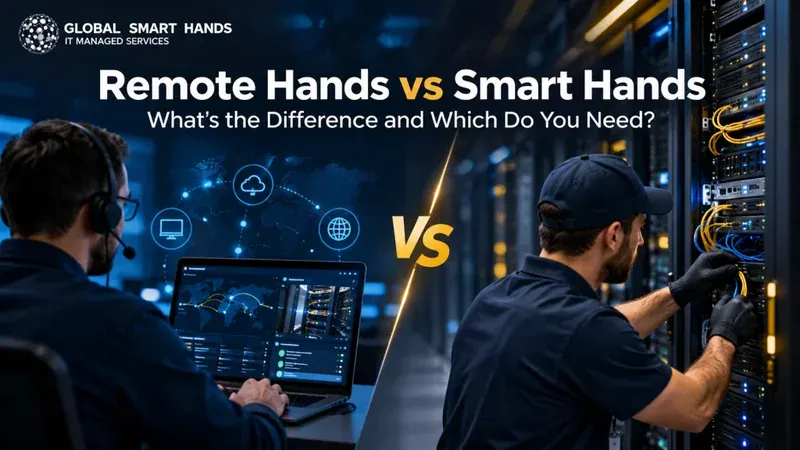
Picture this. A server stops responding in a data center 500 miles away, and your nearest engineer is stuck in traffic. Who walks over to the rack and fixes it? That moment is exactly why the remote hands vs smart hands question matters. Here’s the short answer.
Remote hands are on-site technicians who carry out simple physical tasks, such as reboots, cable swaps and visual checks, by following your exact instructions. Smart hands are skilled engineers who diagnose faults, replace components and configure hardware with far less direction. Pick remote hands for routine work and smart hands for complex or business-critical jobs. Most growing businesses end up needing a mix of both.
In this blog, we are going to discuss what remote hands vs smart hands services cover, what it really costs and a simple way to choose the right on-site IT support for your sites.
What Are Remote Hands Services?
Remote hands services put a trained pair of hands inside a facility you can’t easily reach. The technician follows your step-by-step instructions to handle basic physical jobs on your equipment.
Here’s a detail many guides skip. The word “remote” describes you, not the technician. You stay remote while someone on-site acts for you. TechTarget notes that the term increasingly covers off-site support as well, which adds to the confusion.
Typical remote hands tasks include:
- Power cycling or rebooting servers, routers and switches
- Checking status lights and reporting what they see
- Plugging in, reseating or swapping cables
- Receiving deliveries and shipping equipment out
- Labelling equipment and taking photos for your records
Your colocation provider usually offers remote hands, and some contracts include a small monthly allowance of time.
What Are Smart Hands Services?
Smart hands services go a step further. A smart hands technician brings real troubleshooting skill, so they can work out what’s wrong instead of only doing what they’re told.
Think of it this way. Remote hands will reboot a frozen server when you ask. Smart hands will spot the failing power supply behind the freeze and replace it.
Common smart hands work covers:
- Hardware diagnostics and fault isolation
- Replacing drives, memory, power supplies and network cards
- Firmware updates and configuration under your change control
- Rack and stack for new deployments
- Structured cabling, testing and as-built documentation
- Migration, move and decommissioning support
This deeper skill set explains why smart hands services matter so much for lean IT teams that run sites across several countries.
Remote Hands vs Smart Hands: The Key Differences
The difference between remote hands and smart hands comes down to judgement. One follows a script. The other can write a new script when the first one stops working.

Here’s a quick side-by-side view:
| Factor | Remote Hands | Smart Hands |
|---|---|---|
| Typical engineer level | Level 0 to 1 | Level 2 to 3 |
| Instructions needed | Detailed, step-by-step | A clear goal and access |
| Typical tasks | Reboots, cable checks, deliveries | Diagnostics, part swaps, configuration |
| Troubleshooting | Reports what they see | Finds the root cause |
| Typical pricing | Often bundled or a lower hourly rate | Higher hourly or per-visit rate |
| Best for | Routine, scripted jobs | Complex or critical incidents |
| Main risk | A second visit if the fault runs deeper | Paying expert rates for simple work |
Neither option wins across the board. Each one suits a different kind of job, and the most effective IT teams match the service to the task, not the other way round.
Why On-Site Support Matters More in 2026
More of your infrastructure now lives in buildings you don’t own. That shift turns reliable hands on the ground into a core part of your uptime plan.
The Uptime Institute Global Data Center Survey 2026, as reported by Network World, shows why:
- Third-party facilities now hold 46% of IT workloads, ahead of enterprise-owned data centers at 44% for the first time.
- More than half of operators struggle to find qualified candidates.
- 71% of operators who suffered an outage said their most serious one cost at least $100,000.
- Power failures caused 56% of impactful outages.
- Nearly a quarter of operators now run some racks above 30 kW.
Fewer in-house engineers, more distributed equipment and denser racks all point the same way. It pays to line up data center smart hands before something breaks, not after.
The Nuance Most Comparisons Miss
Most articles stop at definitions. In practice, three details decide whether your on-site support actually works when you need it.
Check the Task List
Providers don’t use these terms consistently. Equinix, for example, calls its whole on-site service Smart Hands, including simple jobs like power cycling a router. Another provider might sell the exact same work as remote hands.
So ask for the real task list before you sign. Check what’s in scope, what triggers a higher rate and whether the technician can open a chassis or only touch the outside of it.
Plan for the Second Dispatch
The most expensive remote hands ticket is often the one that doesn’t fix the problem. A basic technician reboots the server, it fails again an hour later, and now you need a skilled engineer on a second visit.
For critical equipment, first-time fix rate matters more than the hourly rate. Paying smart hands rates up front often costs less than two call-outs plus the extra downtime.
Your Instructions Shape the Outcome
Human error still sits behind a big share of outages. Uptime found that staff not following procedures played a part in 58% of human-error outages, according to The Register. The 2026 Annual Outage Analysis still ranks it as the leading driver.
You can’t control every technician, but you can control the brief. Before any visit:
- Share rack elevation diagrams and labelled port maps.
- Add photos of the exact device and the expected end state.
- Keep spare parts on site or nearby.
- Confirm who approves changes and who holds console access.
- Ask for photos and notes once the job is done.
After a big change, a post-deployment site survey confirms that everything on the floor matches your plan.
How Much Do Remote Hands and Smart Hands Cost?
Pricing varies by region, provider and urgency. Most providers still use one of these models:
- Bundled time: a small monthly allowance inside your colocation contract, which often expires if you don’t use it
- Hourly billing: charged in 15, 30 or 60-minute increments
- Per-visit fees: common for engineers dispatched to offices, branches or stores
- Block hours or retainers: prepaid time at a lower effective rate
- Dedicated engineers: a full-time resource for steady, ongoing work
Watch the after-hours fine print. Tier.Net, for example, publishes a $125 hourly rate billed in 15-minute increments during business hours. After hours, some of its sites charge $250 per hour in full-hour blocks.
So a ten-minute midnight reboot can cost a full hour at double the rate. For regional figures, see this breakdown of on-site IT support costs across Europe in 2026.
Which Do You Need? A Simple Decision Guide
Ask two questions about every task. How complex is it? And how much does it hurt the business if it waits? Your answers place the job on the grid below.
Choose Remote Hands When
- The task is simple and repeatable, like a reboot or cable reseat
- Your team can diagnose remotely and just needs physical help
- You have clear, tested run books for the site
- Cost matters more than speed for that location
Choose Smart Hands When
- You don’t know the cause yet and need someone to find it
- Hardware needs replacing, upgrading or configuring
- Downtime hits revenue, customers or compliance
- You have no skilled staff near the site
Use Both When
- You run a mix of data centers, offices and retail sites
- You’re planning an IMAC project, hardware refresh or data center migration
- You want low-cost routine fixes with a clear path to escalation
Match response times to how critical each site is, too. A 4-hour SLA makes sense for core switches or payment systems, while next business day suits a spare desktop. If you need ongoing coverage, compare full-time IT resources vs SLA-based support before you commit.
How Global Smart Hands Covers Remote Hands and Smart Hands
Global Smart Hands is a London-based IT field services company that delivers both tiers of on-site support through one partner. That helps when your equipment sits across several countries and you’d rather not manage a separate contract for every site.
Engineers From Level 0 to Level 3
The team provides engineers from Level 0 to Level 3, so simple remote hands jobs and complex smart hands work sit under one roof. A ticket can start as a basic reboot and move up to a skilled engineer without a new contract. Its global coverage spans 150+ countries, backed by a 24/7 English-speaking service desk.
SLA Response Options That Fit Each Site
With the resource on SLA model, you can choose 4-hour, 6-hour, 8-hour or next business day response. That lets you set faster cover for critical sites and save money on the rest. More than 20 secure stocking locations across EMEA, the US and Canada, and APAC help get parts to engineers quickly.
Data Center, Network and Break-Fix Support
Engineers handle rack and stack, cabling, patching and new installs through the network and IT infrastructure service. The 24×7 international IT support service covers break-fix for servers, storage, network gear, EPOS and end-user devices.
Dedicated and White-Label Options
Need someone on-site every day? A full-time IT resource gives you a dedicated engineer. MSPs and resellers can also use white-label smart hands to serve clients under their own brand, without building a global field team of their own.
Get the Right Hands on Your Hardware
The remote hands vs smart hands decision isn’t about crowning a winner. It’s about matching the right skill to the right job at the right speed.
Remote hands cover quick, scripted tasks like reboots, cable checks and deliveries at a lower cost. Smart hands step in for diagnosis, part swaps, configuration and full deployments. Most businesses with sites in more than one country end up using both.
Before you sign, check the real task list, billing increments and after-hours rates. Write clear run books, keep spares close and set response times by how critical each site is.
Want one partner for both tiers across 150+ countries? Get a quote from Global Smart Hands and tell the team where your equipment lives. They’ll help you build an on-site support plan that fits your sites and your budget.
Frequently Asked Questions
What is the difference between remote hands and smart hands?
Remote hands handle simple physical tasks, like reboots and cable checks, by following your instructions. Smart hands are skilled technicians who troubleshoot, replace parts and configure equipment with minimal direction.
What are remote hands in a data center?
Remote hands are on-site technicians, usually supplied by a colocation provider, who carry out basic physical tasks on your equipment so your own team doesn’t have to travel to the facility.
What does a smart hands technician do?
A smart hands technician diagnoses hardware faults, replaces parts like drives and power supplies, racks and cables new equipment, and supports configuration, firmware updates and testing.
Are remote hands included in colocation?
Sometimes. Many colocation contracts include a small monthly allowance or a list of free basic tasks. Anything beyond that, and most smart hands work, usually bills hourly.
How much do smart hands services cost?
It depends on location, urgency and skill level. Providers bill hourly, per visit or through prepaid block hours, and after-hours rates often run far higher than business-hours rates.
Can one provider offer both remote hands and smart hands?
Yes. Many providers offer both tiers, so a basic ticket can escalate to a skilled engineer without a new contract. Multi-country providers can also cover data centers, offices and retail sites together.